Agent Assistant
Project work with a local Agent such as Codex or Claude Code
Tools, files, and session capabilities depend on the Agent.
Built for Mac
Keep context close, follow every conversation, and work with your team in one native Mac app.
CUSTOMIZE YOUR ASSISTANTS
Make an Assistant your starting point—for writing, research, or building. Give it a role and connect your preferred local agent or model. Agent Assistants can also reuse skills and MCP tools discovered from supported local agents.
Customize your assistantLocal agents · 40+ supported
 Claude Code
 Codex
 Gemini CLI
 Cursor
 GitHub Copilot CLI
 OpenCode
 Grok
 Amp
 Goose
 Cline
 Kilo
 Qwen Code
 Kimi Code
 Kiro
 Factory Droid
 Mistral Vibe
 Auggie CLI
 Junie
 Devin
 Google Antigravity
 Pi
 Oh My Pi
 Hermes
 OpenClaw
 DeepSeek Harness
 Reasonix
 CodeWhale
 Deep Agents Code
 TRAE CLI
 Qoder CLI
 CodeBuddy Code
 Cortex Code
 Gajae Code
 MiniMax Code
 Stakpak
 Dirac
 VT Code
 Poolside
 Autohand Code
 DimAgent
 GLM Agent
 crow-cli
 siGit Code
 Corust Agent
 Nova
 fx
Model providers · Cloud and local
 OllamaLocal
 LM StudioLocal
 vLLMLocal
 OpenAI
 Anthropic
 Google Gemini
 OpenAI Codex
 DeepSeek
 OpenRouter
 xAI
 Mistral AI
 Groq
 Together AI
 Fireworks AI
 Cerebras
 Perplexity
 NVIDIA NIM
 Hugging Face
 Alibaba Cloud Model Studio
 Moonshot AI
 BigModel
 Z.AI
 SiliconFlow
Project work with a local Agent such as Codex or Claude Code
Tools, files, and session capabilities depend on the Agent.
Conversations through a local or cloud model API
No Agent tools or workspace semantics. The provider defines model capabilities.
AN AGENT ASSISTANT, YOUR COMBINATION
Describe the assistant you need. An existing Agent Assistant can help you create it.
Everyday work
Keep up to six conversations side by side in one Mac window. Arrange up to three columns with two panes each, and keep every draft and reading position separate.
Flexible conversation panes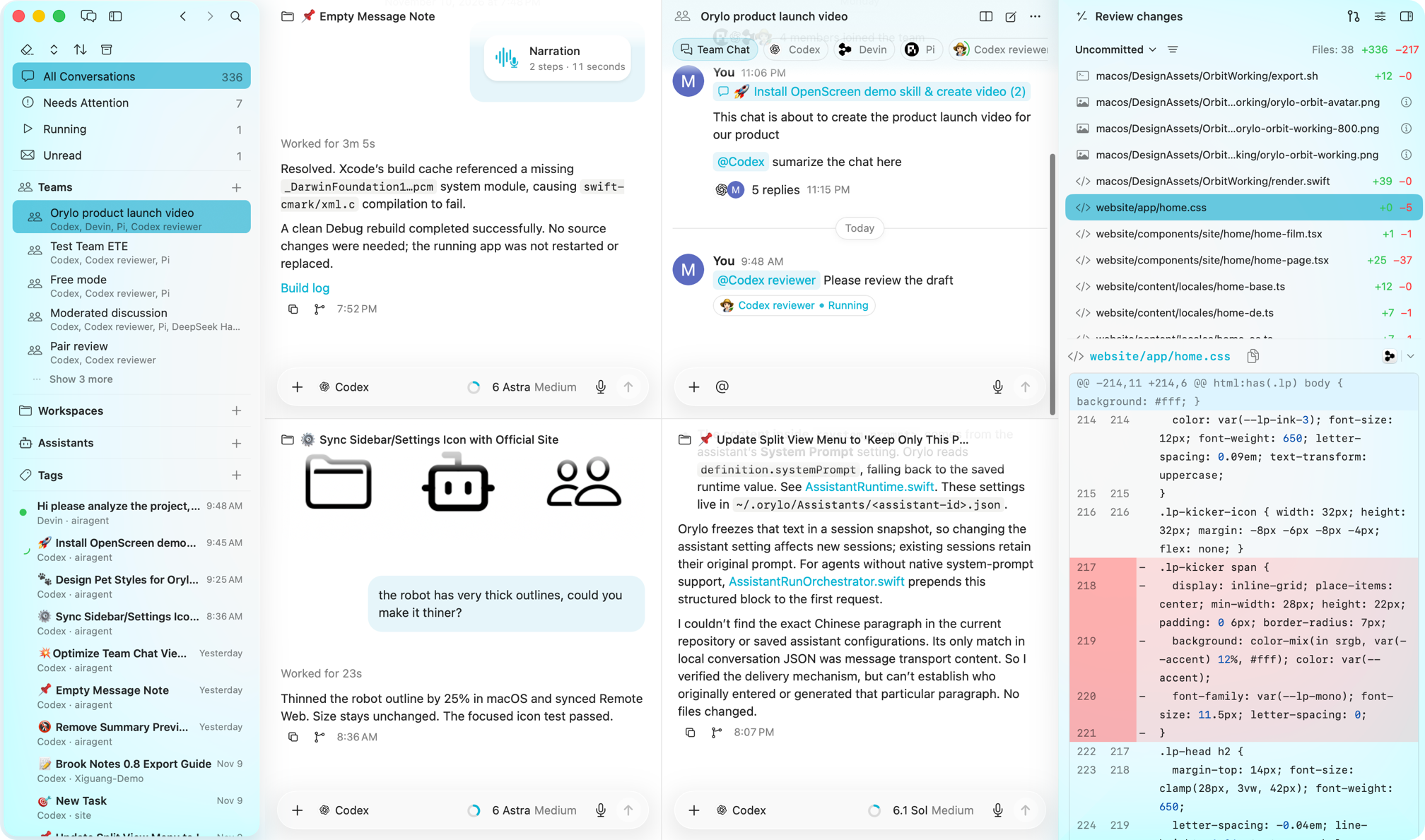
NOTCH · COMPOSER · NARRATION
Select the passage, attach a file, or capture your screen. Give your assistant the material it needs to move the task forward.
Open Composer beside your browser, editor, or document. Choose an assistant and send the context without assembling another prompt from scratch.
Try demo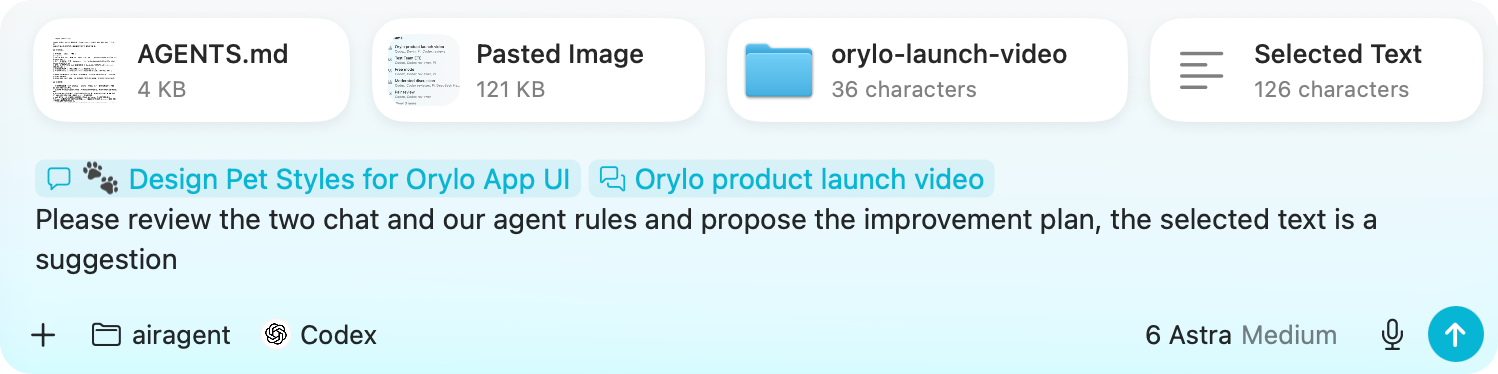
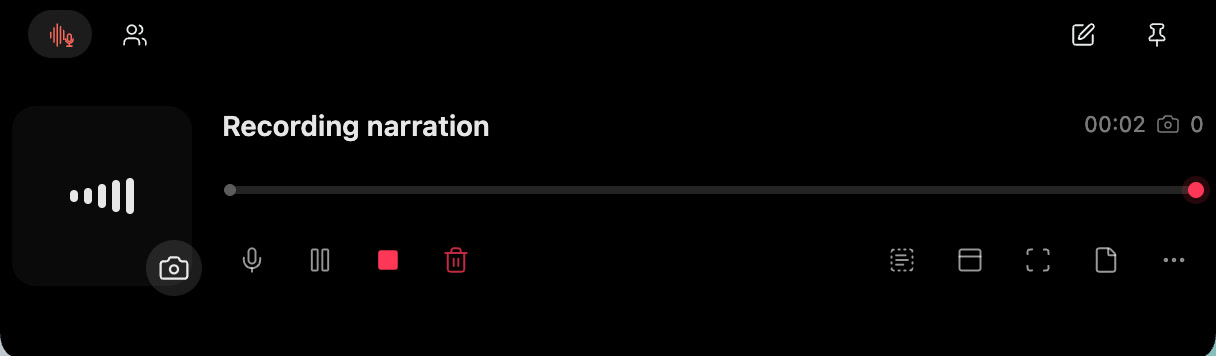
Collect spoken notes and selected context while moving through your work.
Try demoReview the material you share, and understand what is actually attached.
Capture a region or window and control local text extraction.
Turn speech into editable text with an explicitly chosen transcription engine.
Keep an idea or an Assistant’s progress close without opening a full window.
TEAMS
Let one assistant research, another build, and a third review. Bring their strengths together around one goal, with a coordinator keeping the work moving.
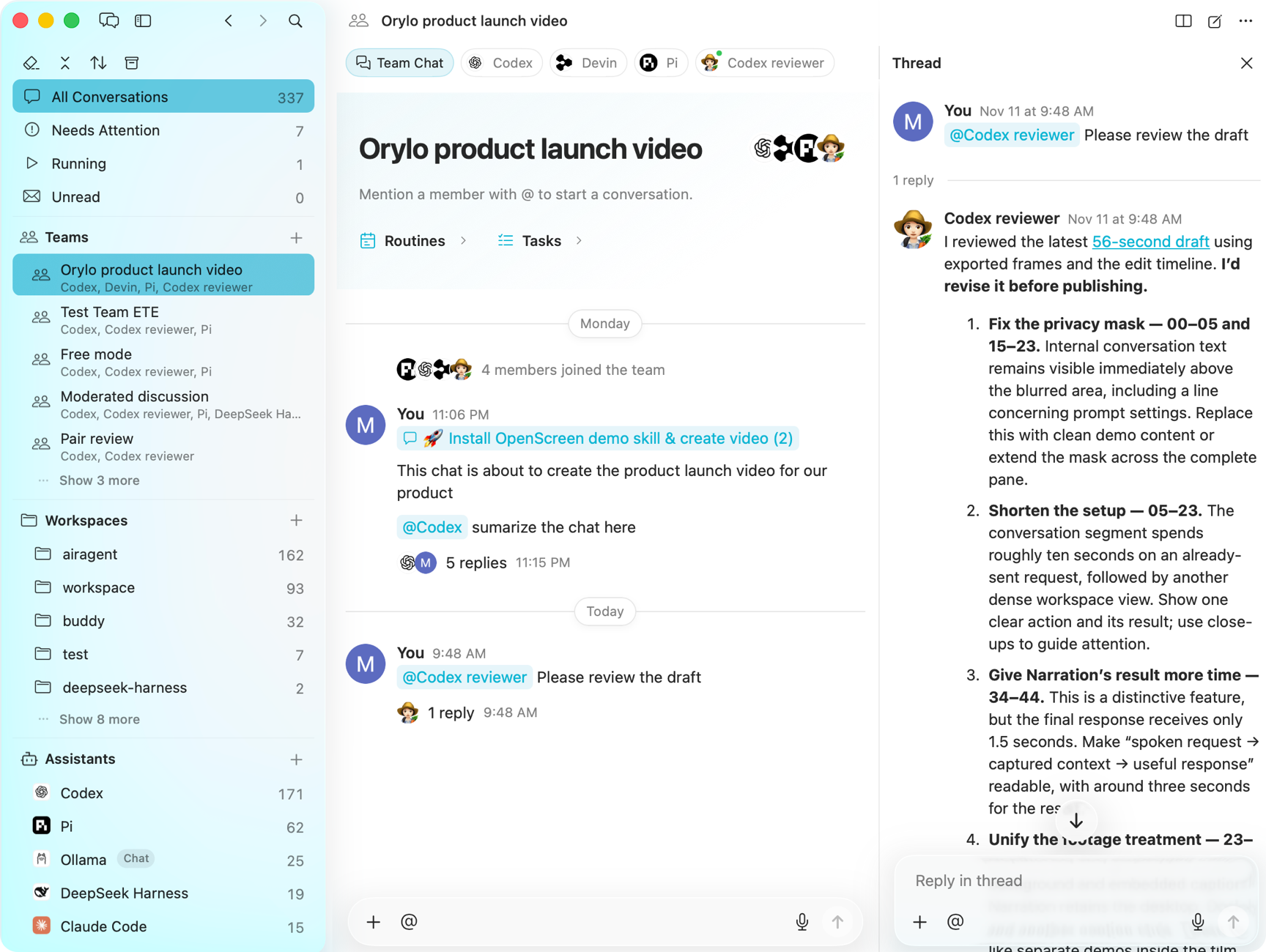
Assistants & workflows
Make reusable actions appear in the right context, combine the inputs they need, and choose exactly how they run and deliver results.
Create an Action for the way you work. Choose its context, instructions, Assistant, and where the result goes. Save it once, then run it whenever you need.
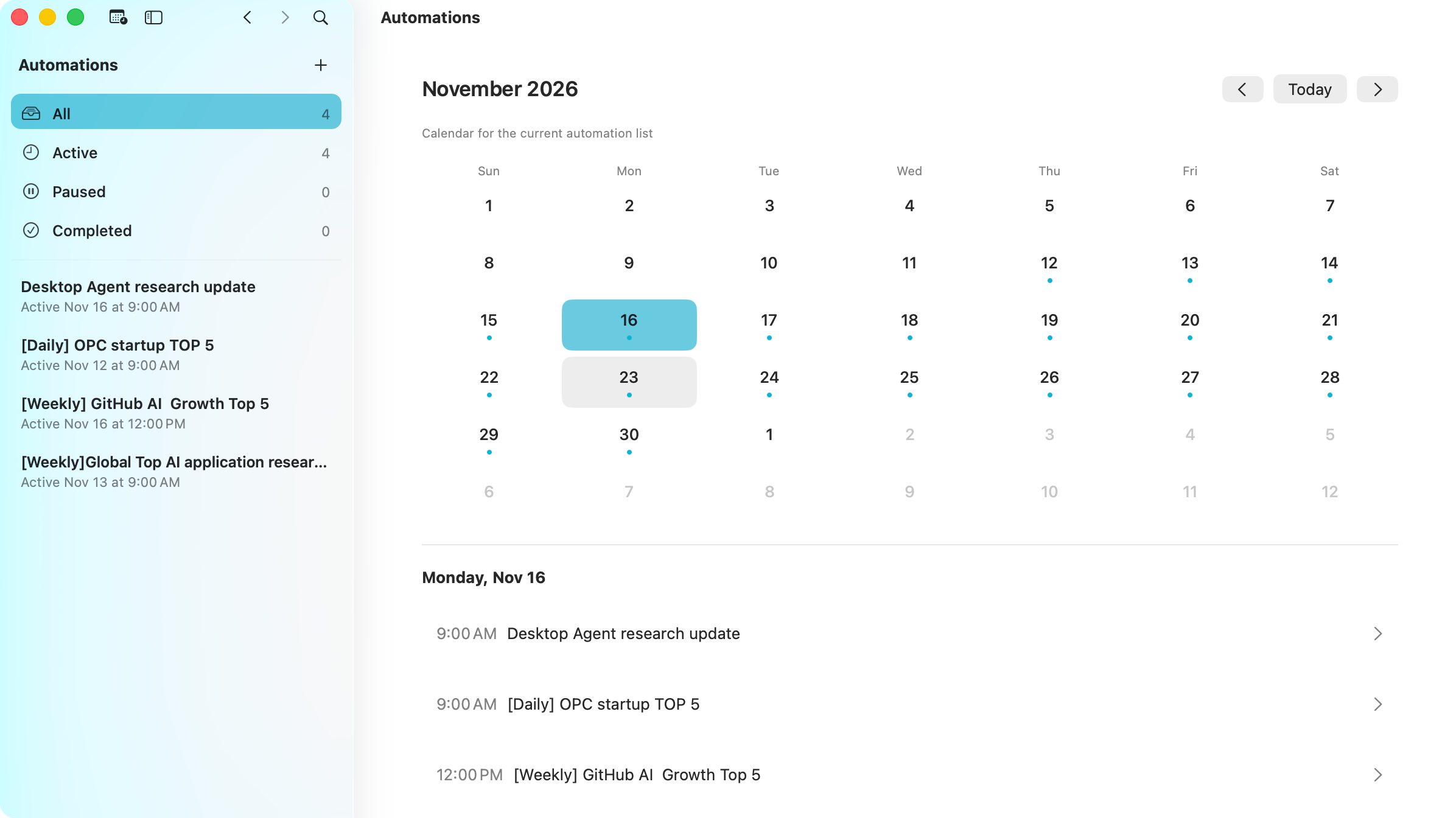
A weekly project summary, ready when you need it. Give an Assistant a recurring task and a schedule, then come back to the results instead of repeating the same request.
 Orylo Computer Use
Computer Use lets an assigned Assistant inspect supported app interfaces, click controls, enter text, and work with Chrome web pages. It is built into Orylo.
Remote & channels
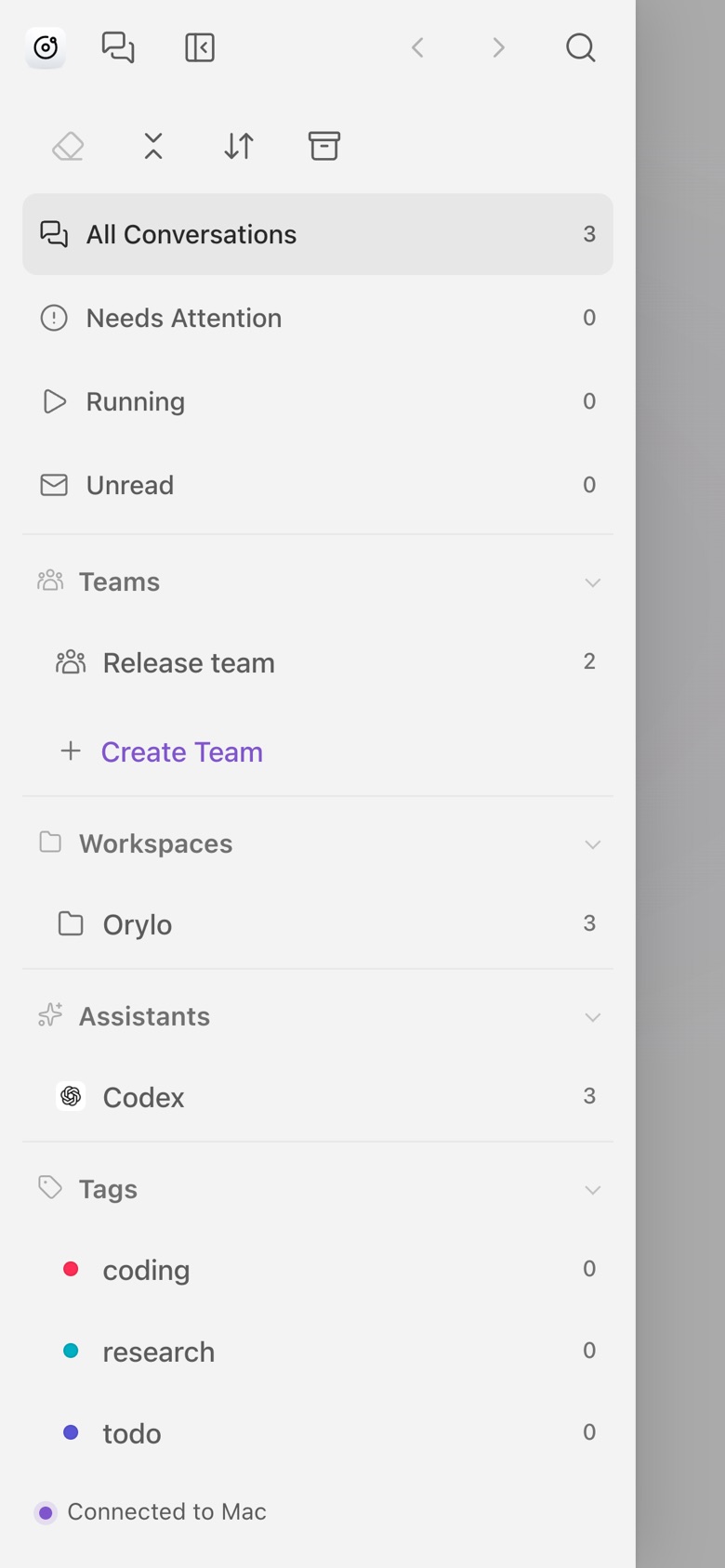
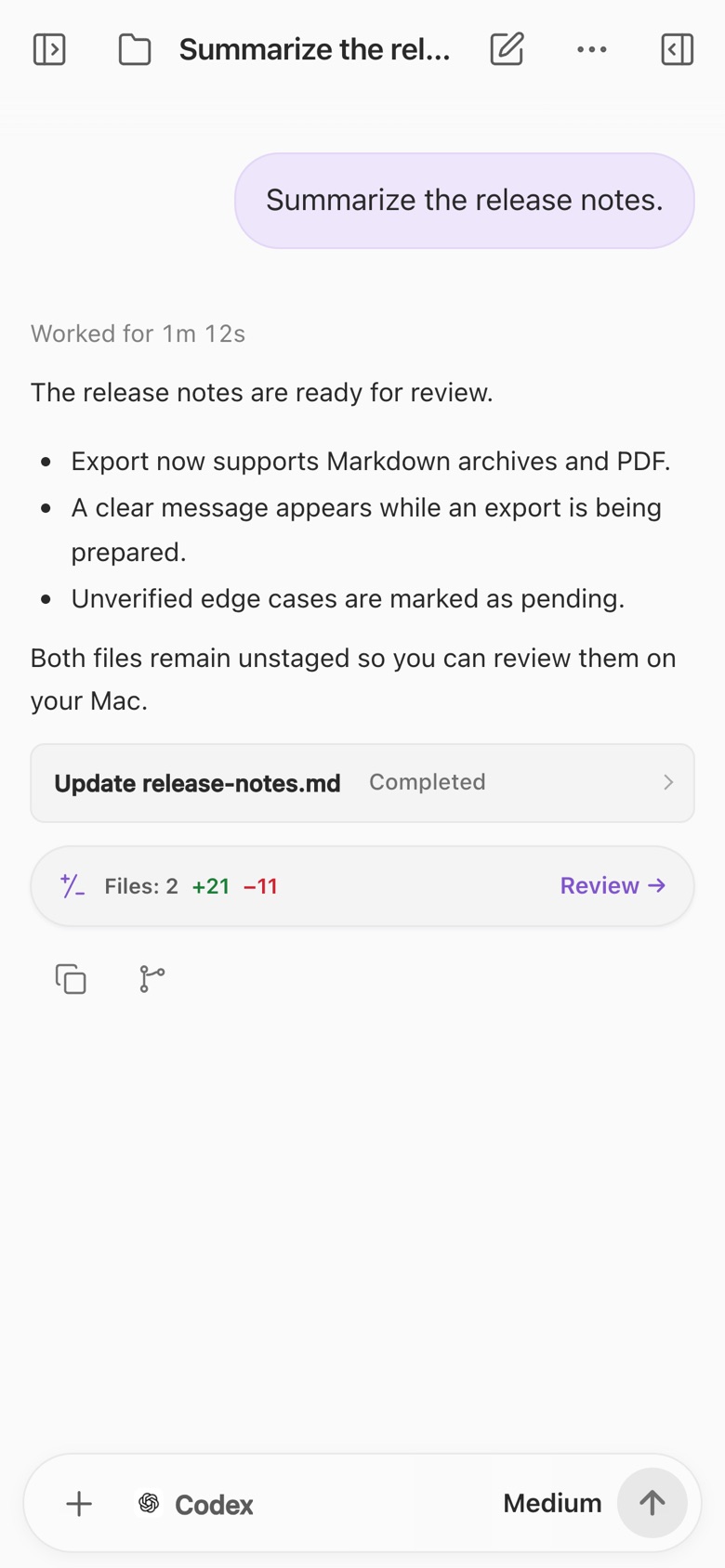
Continue from a browser or a messaging app, with Orylo running on your Mac.
 iMessage
 Telegram
 Discord
 WeChat
 Slack
 Feishu / Lark
Your Mac needs to stay awake, online, and running Orylo. Message channels require their own setup and authorization.
LOCAL HISTORY · DIRECT ASSISTANT CONNECTIONS
Your conversations and settings stay on your Mac. Come back to your projects with their history intact, and choose what context to send to your assistants.
Read about privacyFAQ
Orylo is built local-first. Conversations, attachments, and assistant settings stay on your Mac by default. Your chosen Agent, model provider, and connected tools may receive the content you send under their own privacy policies. Remote Access connects to your Mac over your network or your configured HTTPS connection. Message channels also pass through their messaging platforms. Local storage does not mean every request stays offline.
Orylo brings your local agents and model APIs into one native Mac app. It connects to more than 40 local agents, including Codex, Claude Code, and OpenCode, with support for custom agents and compatible model APIs. You choose the agent or model that does the work; Orylo brings together context, conversations, and team collaboration.
Agent Assistants connect to local agents such as Codex or Claude Code for project work; tools and file access depend on the agent and its permissions. Chat Assistants connect to local or cloud model APIs for conversation, writing, translation, and similar tasks. They do not have Agent tools or a project workspace. You configure the agent or model provider you want to use.
Yes. Each local agent continues to manage its own Skills and MCP connections. Skills and MCP tools assigned through Orylo supplement those capabilities without replacing or changing the agent’s own configuration. Orylo can discover and reuse Skills and MCP configurations across supported local agents, so you can organize them in one library and assign them to your assistants.
Orylo does not include Agent subscriptions or model API usage. Connect your own supported Agent accounts or model providers; any subscription and usage charges remain with those providers. You can also connect local model services such as Ollama.
You can step away and follow your work through Remote Access or a connected messaging app. Tasks still run on your Mac, so it must remain awake with Orylo running; remote access also needs a network connection. Scheduled tasks run locally, not on an Orylo cloud server.
Download Orylo for your Mac, or try it in your browser.